Using G.Drive App to Facilitate Student 'Think-Alouds'
The useful design feature in Google Drive was the ability to record video directly from a mobile device while retaining control of its sharing permissions. That made video-based demonstrations of understanding, especially think-alouds, possible without publishing them to a public platform.
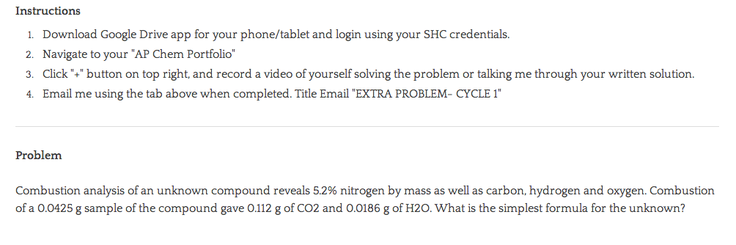
I have begun to experiment with this feature as a way to facilitate a weekly "challenge" problem. Because the problem is recorded in my grade book as extra credit, I wanted an assessment system that ensured that the student at least articulated his or her thought process, rather than simply copy the solution from a partner or the internet. Below are the instructions I am giving students:
The resulting think-alouds remained private between teacher and learner. The public takeaway is the assessment design: require the reasoning to be spoken, keep the recording permission-controlled, and respond to the process rather than only the final answer.
Keep reading
New writing, when there is something worth sharing.
Notes on curiosity, inquiry, science teaching, and building the lesson.
No spam. Unsubscribe anytime. Prefer RSS?
Related reading
Escape Room Lab
I wanted a classroom escape room builder that was free, content-first, and took about ten minutes to use. I could not find one, so I built Escape Room Lab. Here is how it works and how to use it with your own students.
Read →Stoichiometry as a Board Game
For years I taught stoichiometry with ICE tables. I still love what they model, but this year I tried something different: a one-page house that is both the solving sheet and the game board.
Read →Build the Tool, Don't Find the Tool
A classroom question about blinking became a purpose-built data tool and a case for building the app a lesson needs.
Read →