
Student Curated Study Guides via G. Form File Submission
Last year a new feature was added to Google Forms which allows users to submit a file (picture, video, document, etc.) when completing a form. Today in class I leveraged this feature to facilitate the curation of a student generated study guide for an upcoming chemistry assessment. Because chemistry assessments usually involve the production of a handwritten graph, diagram or chemical structure, I had students submit a question in text, then upload a written answer using the file upload feature. Click here to see the live form. Below is a screenshot of the form.
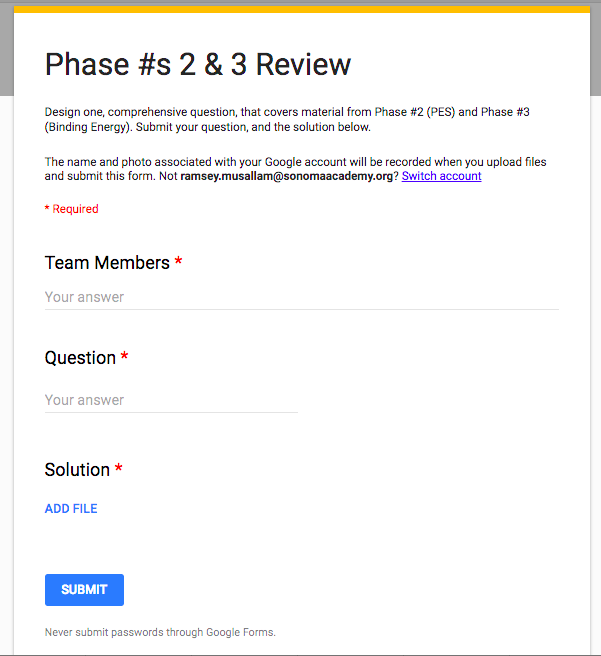
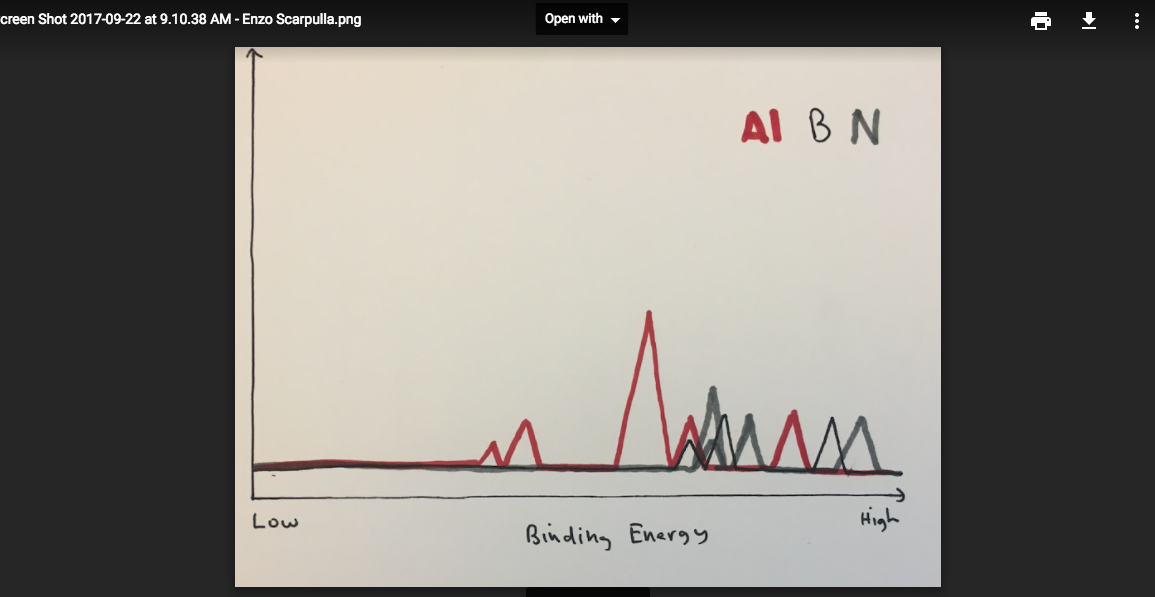
When all groups completed their question and answer an associated, organized spreadsheet was created that, when made available to students, contains a question and link to a clear, handwritten answer from each group. Students used their phones to capture the image, and either accessed the form directly from their phone and uploaded via the photo library, or emailed the image to their computer to be uploaded. Click here to see the live form. Below is a screenshot of the form and a submitted picture.

If you are planning on implementing this, or a similar activity, please play close attention to the sharing settings in the folder that collects uploaded documents.
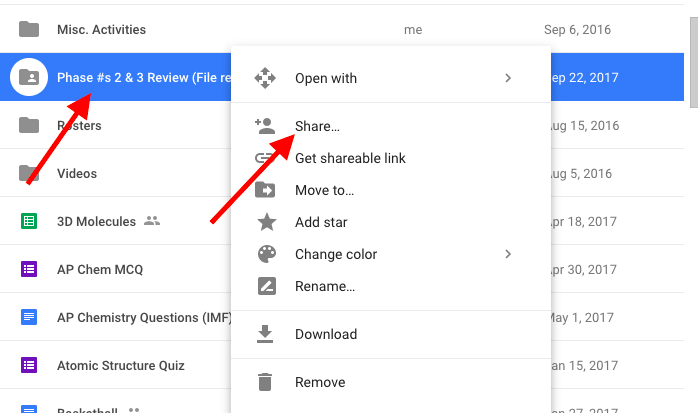
If you do not adjust the settings to "public" in the folder (that is automatically created when you publish a form with a file upload feature) students will not be able to access the links generated that point to this folder. In the case of the activity described, the ability to access the files is necessary for students to view the document. Additionally, the "file upload" feature does not work unless the user submitting the form is part of the same domain.
Related reading
How to 'ClassSource” a Simple, Meaningful, and USEFUL Review Document
Before every major assessment I like to facilitate review activities in class. That being said, I can only handle the Kahoot theme song so much Cycles of Learning
Read →5 Meaningful Ways to Leverage the 'MakeyMakey' in Your Teaching
Arduinoi, MakeyMakey, Invention, Assistive Technology
Read →Movies, Clips, Curiosity, Spark, Videos
My 15 Favorite Movie Clips to Use as Science Curiosity Sparks, Strategically leveraging clips from movies that show various phenomena. Read more: Cycles of Learning.
Read →